 Sortylendo
Sortylendo Freezer
Six months later there is a white block in the drawer.
You cooked for the family, there was plenty left over, and you froze it — perfect for a day when things have to be quick. Only months later nobody knows what is in that container. No label, no date, and when in doubt it all goes in the bin. Sortylendo Freezer closes that gap with one photo taken at freezing time: you see your supplies as pictures, with how long they have been in there, or how long they have left.
For Android on Google Play. In the browser it runs anywhere — on your computer and on iPhone too.
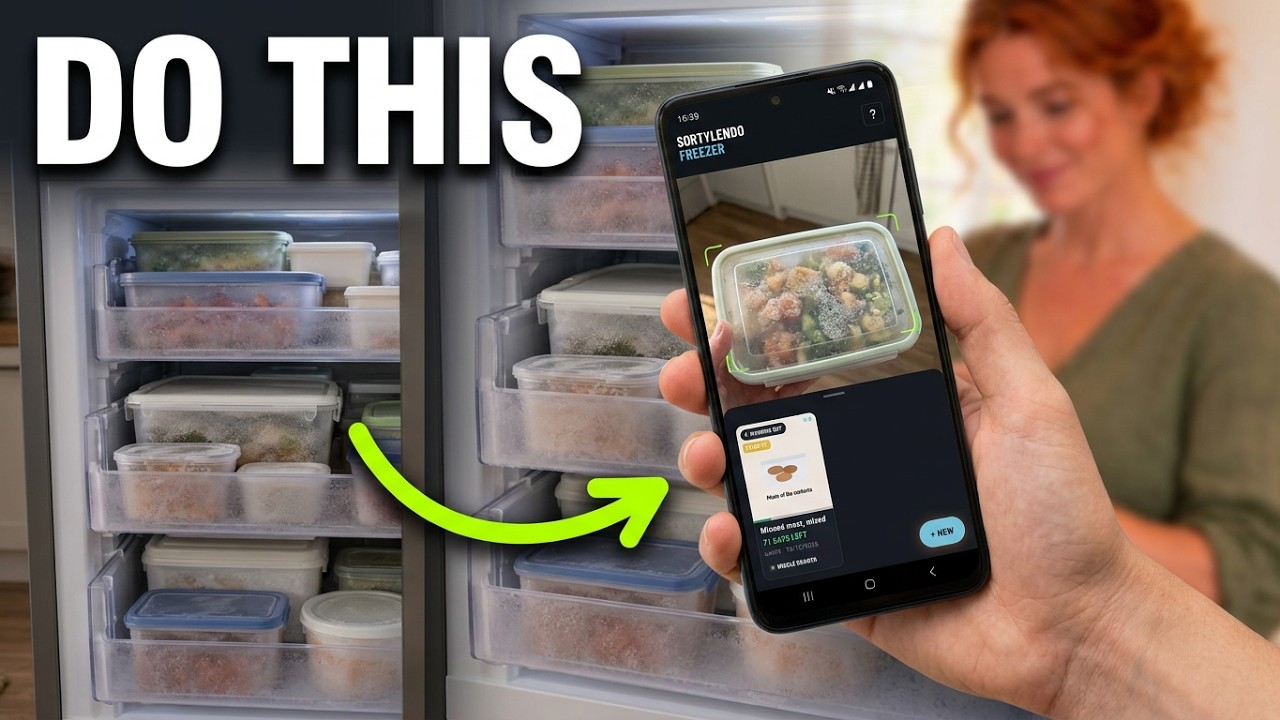
Twenty seconds while you freeze it
Leftovers into the container, photograph from above, lid on. That is the whole effort — and it is the only moment when it works. After that everything is a white block, and no photo helps any more.
A second picture shows the container the way it sits in the drawer. That is how you find the card again when you are standing in front of it.
Count the days or let the app work it out
You do not have to enter a deadline. Just let the day counter run: it shows how long something has been in there, and you judge the rest yourself.
If you want a deadline, pick the kind — minced meat, beef, fish, vegetables, bread and a dozen more. The app works out the date, sorts the list by it and puts whatever has to go first at the top.
The figures follow common German household guidance. They are rules of thumb, not a guarantee: whether something is still good is decided by how it looks and smells. The deadline only tells you when to look more closely — and that is exactly what the app says on every card.
For the fridge as well
Same question, different timescale. Every card can be switched to fridge, and then the app counts in days instead of months — opened cream, sliced meats, cooked leftovers.
At the press of a button the app puts an appointment in your own calendar in good time before the date. Earlier for short deadlines, later for long ones.
Everything stays on your device
No account, no sign-up, no server. Your photos and notes live in your browser and go nowhere. Paid once instead of a subscription.
Try Sortylendo Freezer
For Android on Google Play. In the browser it runs anywhere — on your computer and on iPhone too.
Three cards are free — enough to live with it for a few days. On iPhone, add it through Safari: Share → Add to Home Screen. It then starts like an app and works offline.